What players mean by Curve Rush Unblocked
When players search for Curve Rush Unblocked, they usually want one of two things: a clean browser version that launches immediately without app store installs, or a working copy they can open on a school Chromebook, library PC, or shared laptop. Unlike mobile app downloads, browser-based play needs only a modern tab and a few seconds to load.
This page puts the playable frame at the top so you can start a run right away. Below the frame, you will find practical network checks, self-hosted alternatives that do not rely on third-party game hosts, and the exact timing habits that separate quick crashes from high-score streaks.
Self-hosted alternatives if the embed is blocked
Many school and office filters block third-party game CDN domains even when general websites stay open. Because the main frame above loads from an external game host, it can stall on strict networks. To solve that, we built two original HTML5 rush games hosted directly on curverush.online with zero external iframe dependencies:
Flip Drift Rush (Self-Hosted)
Slope-and-flip arcade runner with the same hold-to-charge and smooth-landing feel. Runs 100% locally in your browser tab with Classic, Rush, Sky, and Daily modes.

Pulse Orbit Rush (Self-Hosted)
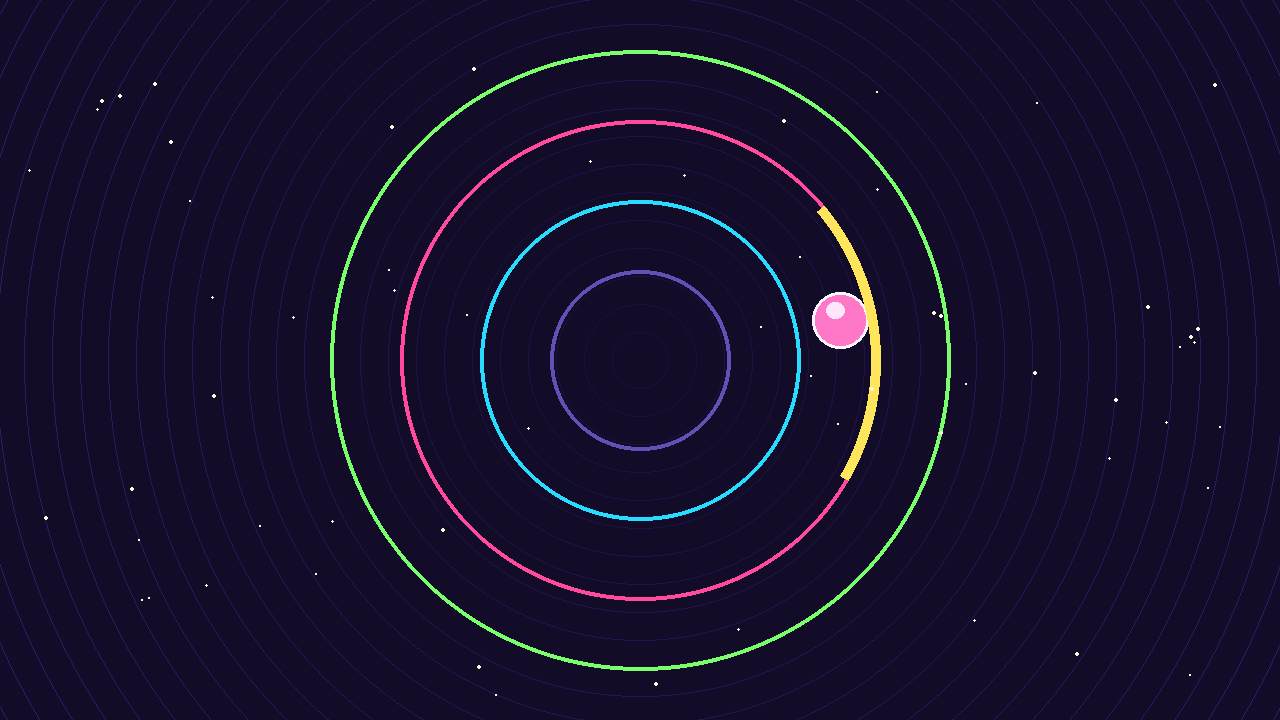
One-button orbit timing game: hold to expand your ring, release to contract inward, and thread gold gates. Fast-loading canvas gameplay with instant restarts.
Quick checks if the game frame does not load
Before giving up on a session, run through these four fast checks. Most loading stalls in Chrome, Edge, or Safari come from tab focus or extension rules rather than hardware limits:
- Click inside the frame first: Browser security policies often pause keyboard input until you click once inside the game canvas.
- Use the Restart button (`R`) in the toolbar: If the embed hung halfway through loading assets, reloading the frame resets the connection without leaving the page.
- Check aggressive ad or script blockers: Some privacy extensions block third-party iframes by default. Whitelisting the page or testing in a standard window usually clarifies whether an extension caused the blank box.
- Close heavy background tabs on Chromebooks: WebGL and canvas physics run noticeably smoother when video streams and dozens of background tabs are closed.
- Switch to Fullscreen (`[]`): Fullscreen mode prevents accidental page scrolling when you press Space or Up Arrow during long jumps.
Controls for desktop, Chromebook, and mobile
The control scheme stays identical across every browser version. You only ever use one input—hold or release—so muscle memory transfers cleanly between a Chromebook trackpad, a mechanical keyboard, and a phone screen:
Desktop & Chromebook
Hold Space, Up Arrow, or the left mouse button while descending a dune to accelerate. Release near the crest of an upward curve to launch. Hold again as you fall to match the angle of the next slope.
Touchscreen & Tablet
Press and hold anywhere on the play area to dive into the curve and build momentum. Lift your finger at the peak to fly, then press again right before touchdown to glide cleanly into the next valley.
How to score higher in short unblocked sessions
Most unblocked sessions happen in short breaks, which makes consistency more valuable than reckless height. Use these four habits to push past early crashes:
- Wait an extra beat before releasing: Beginners release too early on the upslope, killing vertical lift. Let the curve carry the ball near the lip before letting go.
- Aim for the falling side of the next dune: Landing on an uphill face stops your momentum and breaks your run. Holding early pulls the ball down onto a forgiving downward slope.
- Treat the white skyline as a bonus, not a requirement: Crossing the skyline awards bonus points, but only take high arcs when you can clearly see a safe landing zone below.
- Skip risky coins: Coins unlock cosmetics over time, yet diving for an awkward coin often forces a flat landing. Prioritize survival first; coins accumulate naturally on long runs.
Why smooth landings matter more than big air
Many players assume the fastest way to climb the leaderboard is launching as high above the skyline as possible on every hill. In reality, extreme altitude narrows your view of the terrain ahead and leaves less margin if the next valley sits slightly closer than expected. A single flat impact ends the run immediately, wiping out any bonus points you earned in the air.
Experienced players treat height as a controlled tool rather than a constant goal. Low, fast arcs keep the camera framed on two or three upcoming dunes at once, giving you plenty of time to judge whether to hold early for a steep dive or feather your touch to glide over a crest. Once your rhythm feels automatic, you can selectively pick wide valleys for skyline bonuses without sacrificing survival.
Curve Rush Unblocked vs Curve Rush 2
If you already feel comfortable with the classic desert dunes, you may want to try the sequel. Curve Rush 2 keeps the same one-button physics while adding fresh environments, updated visual themes, and extra unlock goals. New players usually find the original easier for learning landing angles, while returning players enjoy the sequel for variety.
Frequently asked questions
Is Curve Rush Unblocked free to play?
Yes. You can play directly in your browser without paying, downloading software, or registering an account.
Why do Space and Up Arrow sometimes scroll the page?
If the browser focus is still on the outer webpage instead of the game frame, pressing Space scrolls down. Click once inside the game canvas or use the Fullscreen button (`[]`) in the toolbar to lock keyboard input to the game.
Can I play on a school Chromebook?
Yes, as long as your network allows browser games. If the external embed is filtered by your school network, try our self-hosted Flip Drift Rush or Pulse Orbit Rush pages, which run directly from this domain.
Are progress and high scores saved?
Browser versions typically store local high scores and coin unlocks in your browser's local storage. Clearing site data or using guest/incognito sessions will reset local progress.
Explore more Curve Rush guides
Want to sharpen your technique or compare versions? Visit the main Curve Rush page, read the How to Play controls guide, check Curve Rush World Record benchmarks, or explore Curve Rush IO and Original Rush Games.